I don’t think this is 6k. It keeps filling its own liberties when I’m in atari, so I end up living.
You may try the DAN as the 6k is a hack that was implemented to simulate a weaker level close to GnuGo, around 6 kyu.
@pazoff
Cool app to work in browser. Some feedback:
There seems to be a requirement that the player capture all dead stones rather than being able to leave them on the board, otherwise territory with dead stones will not be counted. Is that intended?
This is an uncommon requirement for Go apps/servers intended for humans to use, especially ones that are AI-backed, it’s rare that an app or server or any place for humans to play Go doesn’t have some form of dead stone marking or AI scoring or some other way to allow skipping the tedium of playing all the moves to capture all the dead groups.
If it is intended, then maybe it could be communicated better in the interface? The only hint I can find that the app has this requirement for game ending is the fact that while the game is ongoing there is this “Territory (Est.)” field in the right that thinks both sides have very little territory, as we can see in the screenshot the right it thinks black has only 2 and white has only 12 despite the game being over at this point.

Additionally, the AI seems like it might not be implemented in a way that understands it needs to follow this requirement either? In this position, the AI passed, without making an attempt to capture and remove the dead stone at D1, so it’s entire left side territory is not counted. And if black also passes we get this:

where white “wins” because black’s territory and the killing of white’s groups is also not counted. For normal human-game ending rules, both black and white should have a lot more points here, with black being the winner, so if we want to enforce capture of all dead groups, it would be good to have messaging to the player that reminds them they need to do this, and to have the AI also not pass at this point because the AI also needs to do this.
Last thing that I found a little confusing is the fact that the game over screen has a column for “Captures” which it claims is a bonus. It seems like the scoring correctly does not count captures as points because it is area scoring. So perhaps the “Captures” column should just not exist at all? If they don’t count as points (and they indeed shouldn’t) then they shouldn’t be reported during scoring or described as a “(bonus)”.
1 Like
Quick further test - looks like the AI will pass and not attempt to capture dead stones even in a position where if the board were scored as is, that it would result in it “losing”. Here, white just passed despite the stone at H19:

Now if black passes, black “wins”:

1 Like
6kyu is a hack that was implemented to simulate a weaker level and it is not a separate AI model(both levels are the same model, but kyu is hacked). I must say the results with the hack are not very good thus I am considering to replace it with real model. I would suggest you to try the Dan level.
As a reviewing tool, the batch analysis (analyzing all moves) doesn’t work when the tab in the browser isn’t focused (in the foreground). Since it would take at least half an hour to an hour to analyze a normal length game (150 to 300 moves), it needs to be able to run in a separate tab in the background to be a useful feature.
Also, if you set AI-vs-AI in the setting, when you close the tab mid-simulation, the next time you open the website, it automatically starts the match (instead of paused), which creates a huge lag for someone who doesn’t have powerful hardware (and might assume the website is crashing).
1 Like
- On decent GPU(8gb Nvidia) analyzing all moves takes 60-120 sec.(a little more on mac mini m1). The issue of “Analyze All Moves” not working effectively when the browser tab is in the background is typically due to browsers throttling in inactive tabs to save resources.
- Move by Move is the option when no descent GPU.
- Delay Between AI Moves (ms, AvA) in options should be set to higher number if powerful hardware is not available.
Thanks for the feedback!
Thanks for all the work to make it run in a browser. Many people had tried even before Katago using LZ in the past, but the UI is quite nice and modern.
Although, because it is browser-based, we should expect most people try it don’t have powerful GPU in the first place (otherwise they would already be using other dedicated Go AI interface already). The focus might have to be a better user experience if to be compared to existing UIs.
Isn’t it the move-by-move approach acceptable? You can even jump to specific move(select box). You can share your experience as every ones experience would be different depending on their hardware. Also if you have suggestions how it could improve the user experience. (but the browser throttling is a browser issue)
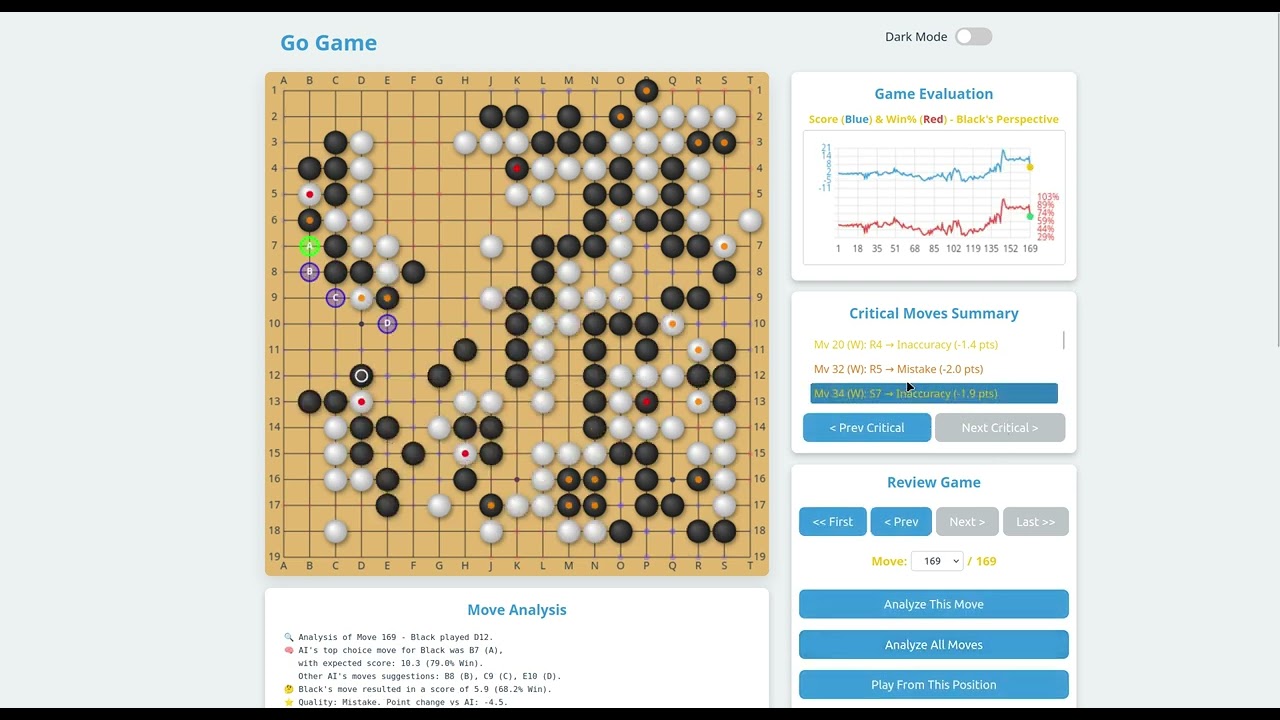
When a game record is loaded, the first thing I see is a blank Game Evaluation graph (which doesn’t tell it is a graph, for people who us Go AI like us would know, but not for people to try at the first time), and then the very next is a Critical Moves Summary says “No critical moves identified yet. Run “Analyze All Moves” or analyze individual moves.” So people would assume it is the default way to analyze.
And if a user with simple hardware (like a basic laptop without GPU) tries the move-by-move or using the dropbox to choose a move, the screen would freeze for quite a few seconds (by my measure, about 8 to 10 seconds with a 4 core CPU) without a prompt or indicating (unless opening the task manager or process monitors to know it is indeed running). And I know (similar to the Analyze All Movies), you can measure and display the currently analyzing time or any indicator showing it is “running” to make it feel less “laggy” or “buggy”. And you can simulate just using CPU in browser settings by disabling hardware acceleration and test it yourself.

The measurement without GPU, for the first 10 moves, takes 75.2 seconds, and it tends to slow down as the game length increases. (On average, about 15 seconds reaching 100+ moves)
Current model is only 25MBytes(katago neural network, 10 nodes from 2020), and I was thinking to introduce a 200mbytes(or 600mbytes) model(more recent) in the next version. I would imagine what the experience would be on low end hardware…
Maybe even just a warning or any indication about the functions would be greatly helpful in terms of user experience. And users with low-end hardware aren’t expecting good performance, just something that would work, or showing it is currently running instead of just a freeze frame close to 10 seconds.
BTW, there are some questionable tutorial pages
not the regular what is an eye shape but ok

This is definitely not a demonstration of two separate eyes

And this is certainly no a ko

This is a very weird way of showing territory (in the center but not toward the edges

And we are missing end-game yose and how the counting of territory to determining the result of the game (and how to end a game, and the introduction of pass)
2 Likes
I was kind of expecting the tutor to comment on moves even in player-vs-player.
It seems like the AI is actually not running in this mode? The score estimate doesn’t seem to update either, and the comment is saying that the tutor is thinking, always.
Update: I just discovered that clicking “hint” causes the tutor to catch up 
I agree, this tutorial should be reworked. Maybe OP could simply link one of the available ones on internet, with appropriate request to the owner? It’s not that easy to make a good tutorial afteral
The model probably was unloaded and when you pressed Hint it loaded. Can you recreate the situation you were in?(in what mode you came to PvP, was it a page reload, to be able to investigate)
I’m pretty sure I was in mid game and switched to PvP.
Like “no, I want to explore what if we play this way”, so I had to force both player’s moves.
From that point, the tutor didn’t “do anything”, until either P vs AI or Hint. It continues to only do something on Hint in PvP mode.
I can’t recreate the situation… That will be tricky as I have not played that scenario often 

